Best watch with a date display 2026, picks and comparison
Calendar readability helps distinguish models if you check the date often. Our selection helps you find your Best watch with date based on your habits and the adjustments you are willing to make.
Prices recorded at retailers are for guidance only: they may have changed since. The current price is the one shown by the retailer. No price is shown for models sold exclusively on Amazon. Amounts converted from reference prices in euros using a dated exchange rate.
How we picked these models
- 2 selected models because they have the feature “Date” according to data published by manufacturers and retailers.
- View methodology →
- No brand pays to appear in this selection or to rank higher.
Why choose a watch with a date display?
Why having the date on your wrist makes everyday life easier
Filling in a form, dating a document, arranging an appointment… The day of the month matters in many small decisions. A watch with a date display lets you check it without taking out your phone. It is particularly useful if you often check the calendar but want fewer reasons to look at your screen.
The main benefit is direct access to information. At the office, while travelling or when dealing with paperwork, you can check the time and date on the same dial. The calendar does need to be clearly visible, though. An easy-to-read date matters more than a long list of features. A subtle display may look appealing in a photo but prove less suited to quick reading.
This feature also appeals to people who want to keep their watch simple. You do not need a sports watch or a smartwatch to have a calendar on your wrist. The best watch with a date display is, above all, one you can read easily, with adjustment and maintenance requirements that suit your habits.
When a day display makes a useful addition
The date display shows the day of the month. A watch with day and date displays also shows the day of the week. These details serve different needs. The date alone may be enough for dating a letter. For keeping track of a weekly schedule, knowing the day as well is a useful addition.
Having both can be useful for people who work shifts, alternate between working days and days off, or follow a variable schedule. It helps you quickly keep track of where you are in the week without opening a diary.
- For everyday paperwork, prioritise a clearly legible date.
- For a changing schedule, consider how useful a day-of-the-week display would be.
- For an uncluttered dial, check that the extra information does not make the time harder to read.
The display language and the way you access the calendar also deserve attention. A feature that is difficult to check loses much of its value.
Why your main need should guide your choice
An everyday accessory, a horological timepiece and a sports watch serve different priorities. If you mainly want the time and date, start with comfort, readability and power source. The selections “Best quartz watch” and “Best automatic watch” then help you explore movement options according to your preferences.
The range you choose should reflect your actual needs. Entry-level models deserve consideration if functionality is your priority. Mid-range models may be justified by their materials, finish or useful features. The high-end range caters to more specific expectations. Moving upmarket does not, however, guarantee a more legible date or a calendar that is easier to set.
The selection on this page helps you compare models according to these priorities. It distinguishes confirmed calendar features from points to check before buying, helping you find a watch that suits your everyday life.
How to choose the best watch with a date display?
The best watch with a date display is one whose calendar is easy to read and whose upkeep fits your habits. Before comparing materials or sports features, check that it has the display you want. A watch with day and date serves a different need from a model showing only the day of the month.
How to spot an easy-to-read date display
Start by checking where and how the date appears. A date window shows the day of the month through an opening in the dial. A calendar hand points to a scale. A digital display can show several pieces of information, but may require you to select a suitable watch face or open a particular screen.
Look at a photograph of the entire dial, at roughly the watch’s actual size. A flattering close-up does not let you judge readability on the wrist. In particular, check:
- The contrast between the characters and their background.
- How much space the date takes up compared with other information.
- Whether the calendar is accessible without any extra steps.
- Whether the day of the week is shown, if you need it.
If you check the date regularly, prioritise a display you can access directly over a long list of features.
Which power source suits your habits
A battery-powered watch needs periodic battery replacement. A mechanical movement needs winding or regular wear, depending on how it works. A rechargeable watch means making charging part of your routine. Choose the upkeep you are actually willing to accept, especially if you alternate between several watches.
The “Best automatic watch” and “Best smartwatch” selections therefore cater to different expectations. Check the calendar in each case: the movement type guarantees neither a calendar display nor automatic date correction.
For any stated battery life, look for the associated conditions. GPS use, screen settings or solar charging conditions can affect the interval between charges. Power source information for the Citizen Aqualand JP2000-08E is ambiguous: have this confirmed before choosing.
How to choose dimensions that suit your wrist
The diameter provides an initial guide, but does not tell you the overall size. Also look at the thickness, weight, lug length and how the strap adjusts. A case that extends beyond the edges of your wrist can get in the way even if its diameter seems reasonable.
Compare these measurements with those of a watch you already own. If you often wear close-fitting sleeves, give more weight to thickness. For extended wear, check the weight and strap adjustment options.
A missing measurement leaves some uncertainty. Do not confuse case diameter, screen size and strap width: these measurements are not interchangeable.
Which protective features should you check before buying
Match the protective features to your activities. For contact with water, check the activities permitted by the manufacturer. A stated depth rating alone does not mean the watch is suitable for all water activities. Also check the instructions for using the buttons and caring for the watch.
The watch glass material also deserves attention if scratches concern you. However, it does not guarantee the shock resistance of the entire watch. For sports use, consider the glass, case, strap and usage restrictions together, rather than relying on a single reassuring feature.
Which product tier suits your needs
In the entry-level range, prioritise calendar readability, a properly adjustable strap and a suitable power source. In the mid-range, consider how the materials or additional features benefit your daily routine. In the high-end range, expect clear documentation on the features that drive your choice.
Also compare the warranty, strap replacement options and maintenance requirements. If you simply want to read the time and date, advanced sports navigation alone does not justify moving up a tier.
Which models can you compare using verifiable information
| Model | Listed price | Weight | Special feature | Connectivity technology |
|---|---|---|---|---|
| Polar Ignite 2 | Check the retailer for pricing | 35g | Colour touchscreen (IPS TFT) with gesture activation | GPS |
| Citizen Aqualand JP2000-08E | Check the retailer for pricing | N/A | N/A | N/A |
| Suunto Vertical Titanium Solar | Check the retailer for pricing | n/a | n/a | n/a |
| Suunto 9 Peak | Check the retailer for pricing | {{ slotScope.product. ProductWeightGrams }} g / {{ slotScope.product. ProductWeightOunces }} oz | Waterproof, altitude tracking | Bluetooth |
The Polar Ignite 2 is the only model in this selection whose specifications explicitly mention the date and day of the week. It is therefore the best-documented starting point for this requirement. Its touchscreen and tracking features, however, make it more suited to sports.
The Citizen Aqualand JP2000-08E is worth comparing if you want an analogue display and a focus on diving. Calendar availability still needs to be confirmed before purchase.
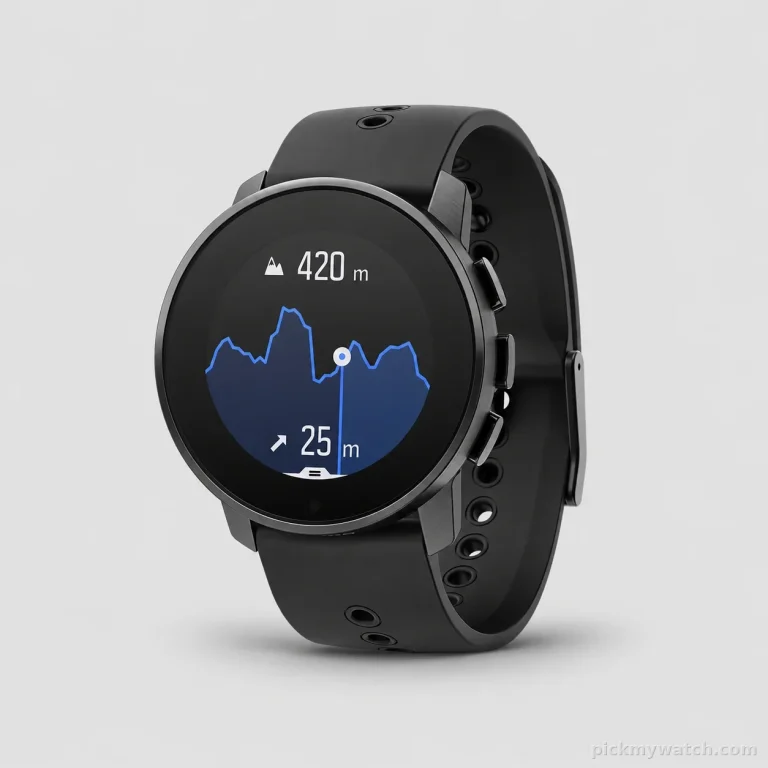
The Suunto Vertical Titanium Solar stands out for its focus on adventure, GPS navigation and offline maps. These features are relevant if your outings warrant them; they do not confirm that it displays the date.
The Suunto 9 Peak is also designed for multisport activities. Several details about its dimensions and materials are inconsistent or unusable. Check the exact variant and its calendar before making a decision.
Mistakes to avoid
- Assuming every watch displays the date.
- Confusing the date with the day of the week.
- Choosing solely on the basis of an enlarged photograph.
- Treating a stated depth rating as blanket permission for immersion.
- Choosing sports features without checking their personal relevance.
Key takeaways
First, check whether the calendar is present and easy to read, then the power supply, dimensions and protective features. The Polar Ignite 2 explicitly confirms the date and day display. For the 3 other models, confirm the calendar function before considering them as watches with a date display.
What should you know about your watch’s calendar?
What is the difference between a simple, annual and perpetual calendar?
A simple calendar requires correction after shorter months, while an annual calendar distinguishes between months with 30 and 31 days but requires adjustment in February. A perpetual calendar also accounts for leap years, within the limits of its mechanism. When choosing a watch with a date display, focus on readability and the day-to-day adjustment requirements you are willing to accept.
Why does the date need correcting after certain months?
A simple calendar generally cycles through dates up to 31, regardless of the actual length of the month. After a month with 30 days or after February, you therefore need to set the calendar to the correct date according to the manual. This correction does not indicate a fault. If you are looking for the “Best automatic watch”, check this feature separately from the movement, as automatic does not mean the calendar adjusts itself.
When should you avoid setting the date on a mechanical watch?
Avoid using the quick-set function while the mechanism is preparing for or carrying out the date change. The time window depends on the movement and must be checked in your watch’s manual. Do not rely on a universal time window found in general advice. If you are unsure of the procedure, ask the manufacturer or a watchmaker before operating the crown, and never force it.
Why does my watch’s date change at noon?
On an analogue watch with a calendar, a date change at noon may indicate a 12-hour offset between the hand settings and the calendar cycle. The mechanism then treats your noon as its midnight. Set the watch again according to the manual, identifying when the date changes before setting the correct time. Also observe the restrictions on using the quick-set function.
How do you set the date when changing time zones?
Set the local time, then check that the date matches the day of arrival, following the sequence of steps in the manual. A journey may take you past midnight and change the day that needs to be displayed. For a search such as “Best smartwatch”, also check how the calendar synchronises. Automatic updates should not be assumed without confirmation for the model concerned.
What should I do if my watch’s date is stuck or incorrect?
Start by checking the time, date and setting instructions before concluding that there is a fault. An incorrect date after a shorter month may simply require manual correction. On a smartwatch, consult the synchronisation instructions. Never force a control that resists. If the calendar remains stuck despite following the correct procedure, contact after-sales support or a watchmaker, depending on the type of watch.