Best Wi-Fi watch 2026, picks and comparison
Confusing Wi-Fi with independence from a phone can lead to a disappointing purchase. To find the Best Wi-Fi watch, check which features work without a phone nearby. Our selection includes 1 model to consider based on your needs.
Prices recorded at retailers are for guidance only: they may have changed since. The current price is the one shown by the retailer. No price is shown for models sold exclusively on Amazon. Amounts converted from reference prices in euros using a dated exchange rate.
How we picked these models
- 1 selected model because they have the feature “Wi-Fi” according to data published by manufacturers and retailers.
- View methodology →
- No brand pays to appear in this selection or to rank higher.
Why choose a Wi-Fi watch?
Why look for a watch with Wi-Fi
A Wi-Fi smartwatch can be useful if you want to access certain connected features without always keeping your phone close by. The principle is simple: it connects to an available network to exchange data, within the limits of its supported features. Its usefulness therefore depends as much on its actual capabilities as on where you wear it.
At home or somewhere with a compatible network, this connection can make some data exchanges easier when your phone is in another room. Depending on the watch and the apps available, this may include syncing information or accessing online services. However, having Wi-Fi does not guarantee any particular feature. You should check that each requirement is met before buying.
This type of watch is best suited to people who regularly spend time in places with network access and want more flexibility as they move around indoors. To find the Best smartwatch, first ask yourself which features you want to keep using when your phone is out of reach. This question is more useful than simply checking whether Wi-Fi appears in the specifications.
What changes when your phone is out of reach
The difference between Wi-Fi and Bluetooth comes down primarily to the role of each connection. Bluetooth provides, among other things, a short-range connection to your phone. Wi-Fi connects the watch to an available network. It can therefore provide another route for certain data exchanges when the phone connection is no longer available.
This does not mean that all features will continue to work in the same way. Some may depend on an app installed on the phone, whether the phone is connected or an associated service. You therefore need to distinguish between network connectivity and independence from your phone.
- At home, identify which features are useful when you leave your phone in another room.
- At work, check that the network allows the watch to connect and that its access requirements are compatible.
- During your activities, distinguish between features available offline and those that require data exchange.
If your main aim is to find the Best sports watch, Wi-Fi remains a secondary consideration. On its own, it cannot tell you how suitable the activity tracking is or whether the watch meets the needs of your sport.
Why Wi-Fi does not replace a cellular connection
A watch with Wi-Fi connectivity depends on an available and compatible network. Once you leave its coverage area, that connection can no longer exchange data. It therefore does not provide continuous connectivity wherever you go.
A cellular connection uses a mobile network, with requirements specific to the watch, service and carrier. The choice between a Wi-Fi or cellular watch therefore depends on your habits: whether you mainly stay in places with network access or want to access certain connected features on the move.
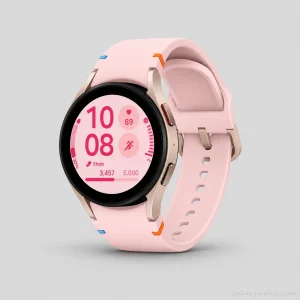
To find the best Wi-Fi watch for you, start with these practical scenarios. Then browse the selection on this page, which includes the Samsung Galaxy Watch FE, and check that its features and connectivity requirements meet your needs before making your choice.
How do you choose the best Wi-Fi watch?
To choose the best watch with Wi-Fi, start with your phone, the available networks and the features you will actually use. Wi-Fi connectivity alone does not guarantee that a watch can operate independently. The aim is to establish what will remain accessible when your phone is out of range, then check charging and compatibility requirements.
Check compatibility with your phone and apps
Start by checking your phone’s operating system and version. Compare them with the manufacturer’s compatibility requirements. Then check the features you need, such as receiving notifications or accessing a specific app. General compatibility does not guarantee that every feature will be available with your setup.
Distinguish initial setup from everyday operation. Find out whether the phone needs to stay connected, whether an account is required and which features remain accessible remotely. A search for “Best smartwatch” can help broaden your comparison, but your choice should be based on these practical checks.
Make sure the watch supports your Wi-Fi network
Identify where you plan to connect the watch, particularly at home or at work. Then check the manufacturer’s stated connection requirements. For a workplace or public network, confirm compatibility with its authentication method, especially if it requires completing a login page.
The difference between Wi-Fi and Bluetooth matters most when your phone is out of range. Bluetooth provides a short-range connection; Wi-Fi requires an accessible network. For each essential feature, check whether it works with the watch connected to that network on its own. Never assume complete independence simply because Wi-Fi is listed. Without an accessible network, this connection cannot replace cellular connectivity.
Choose a battery life that suits your routine
Work out when you can charge the watch before comparing battery life claims. Can you take it off in the evening? Do you want to keep it on while you sleep? These habits help rule out a charging routine that is too restrictive, even if the other criteria seem satisfactory.
Examine the conditions behind the stated battery life. An estimate is only useful if the enabled features match your needs. If those conditions remain unclear, do not base your decision on that claim. Also check what charging equipment is required and whether replacements are available.
Choose a size that suits your wrist and activities
Compare the case dimensions, thickness, weight and available strap sizes where this information is available. Measure your wrist to check the adjustment range. A photo cannot tell you whether a watch will be comfortable, especially if you want to wear it at night.
For readability, look for information on text size, display settings and navigation. For sport, assess the features you need and the stated durability specifications separately. If recording routes is your priority, a selection of “Best GPS watches” will complement your search: Wi-Fi tells you nothing about location tracking capabilities.
Set your budget around the features you actually need
Make a list of essential features, followed by a list of optional features. Then compare market positioning entry-level, mid-range and high-end, without assuming that a higher tier will better meet your needs. A benefit is only worth paying for if it is actually useful to you.
Check the package contents, required accessories and any subscription terms for the services you want. The following table helps you compare options without confusing a detailed product listing with suitability for your needs.
| Criterion | What to look for | Common mistake |
|---|---|---|
| Compatibility | Your essential features available with your phone | Relying solely on the brand |
| Wi-Fi connection | Confirmed compatibility with your usual networks | Assuming all networks are suitable |
| Battery life | A charging schedule that fits your routine | Comparing estimates based on different conditions |
| Size and fit | Dimensions and a strap that fit your wrist | Choosing based solely on a photo |
| Budget | Useful features and clearly identified accessories | Moving up a tier without a specific need |
| Personal data | Sharing settings that are easy to understand | Accepting all permissions without reviewing them |
Check how your personal data is protected
Before buying, read the information about the user account and companion app. Find out how to access, export and delete your data. Also check whether you can disable optional sharing and limit permissions to what is necessary.
Pay particular attention to health information. Identify who receives it and what happens if you deny permission. If these explanations remain difficult to find, ask for clarification before choosing.
Mistakes to avoid
- Assuming Wi-Fi connectivity means independent operation everywhere.
- Buying without checking the restrictions that apply to your phone.
- Relying on advertised battery life without reading the conditions.
- Assuming Wi-Fi means water resistance.
- Paying for features you don’t need.
Key takeaways
Choose a watch whose compatibility, connectivity and charging requirements fit your daily routine. Then check the size, useful features and privacy settings. Still unsure about an essential feature? Confirm it before buying.
What should you know before choosing your Wi-Fi watch?
What is the best smartwatch in 2026?
No model can be named the best for everyone. Our selection is limited to 1 model, the Samsung Galaxy Watch FE, so it does not support an overall ranking. Before choosing it, check its compatibility with your phone, its connectivity and the features essential to your daily routine. To broaden your search, the “Best smartwatch” selection explores options beyond Wi-Fi alone. A Wi-Fi connection does not guarantee complete independence from your phone.
Which smartwatch do cardiologists recommend?
There is no single recommendation that applies to every patient. If your goal is medical, ask your cardiologist which measurements would be relevant and which device would suit your situation. A wellness tracking feature is not enough to establish a diagnosis or adjust treatment. The “Best sports watch” selection takes a different approach, focusing on physical activity. Wi-Fi alone tells you nothing about measurement reliability.
What is the best smartwatch according to Protégez-Vous?
We cannot name a winning model on behalf of Protégez-Vous without a verifiable publication. To find out its choice, consult its comparison directly and check when it was last updated, which models were compared and which criteria were used. An overall ranking will not necessarily meet your need for Wi-Fi connectivity. Also make sure the version on sale matches the one evaluated before relying on this recommendation.
Can you swim with a Wi-Fi smartwatch?
Yes, but only if the manufacturer explicitly allows swimming with that particular model. Wi-Fi connectivity tells you nothing about water resistance. Check which activities are permitted and any restrictions on immersion, hot water or cleaning products. A general water resistance claim is not enough to draw a conclusion. For the Samsung Galaxy Watch FE, confirm the manufacturer's conditions before using it in a swimming pool.
How long does a smartwatch receive updates?
The duration depends on the manufacturer's commitments for each model. Check the stated support period and when it begins, which may differ from your purchase date. Distinguish security updates from system and app upgrades. No support duration can be confirmed here for the Samsung Galaxy Watch FE. Before choosing, look for an explicit commitment and consider how the end of support might affect connected features.
Can a Wi-Fi watch suit someone with a visual impairment?
Yes, if its accessibility features meet the person's needs. However, Wi-Fi does not guarantee any particular assistance with reading or navigation. Confirm that it offers a screen reader, text enlargement, adjustable contrast and suitable controls. Also check the accessibility of the phone app. These features are not established here for the Samsung Galaxy Watch FE and must be confirmed before purchase.