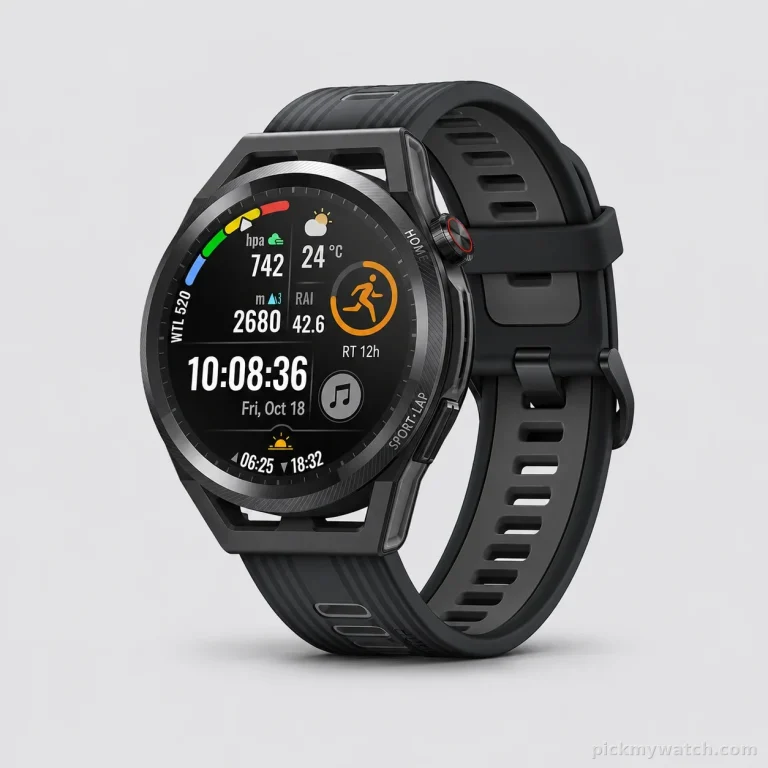
Best AMOLED watch 2026, picks and comparison
Relying on the AMOLED screen alone can lead to the wrong purchase. To find the Best AMOLED watch, our selection of models helps you compare compatibility, battery life and readability based on your needs.
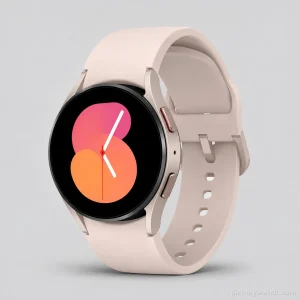
Prices recorded at retailers are for guidance only: they may have changed since. The current price is the one shown by the retailer. No price is shown for models sold exclusively on Amazon. Amounts converted from reference prices in euros using a dated exchange rate.
How we picked these models
- 3 selected models because they have the feature “AMOLED” according to data published by manufacturers and retailers.
- View methodology →
- No brand pays to appear in this selection or to rank higher.
Why choose an AMOLED watch over an LCD watch?
Why choose an AMOLED screen over an LCD screen?
An AMOLED screen uses pixels that emit their own light. To display black, the relevant pixels can remain switched off. An LCD screen generally uses a backlight to make the image visible. This difference explains the appeal of AMOLED for dark watch faces and strong contrast.
On a watch, this can help you distinguish the hands, numbers or important information against a black background. Colours also help differentiate the elements on the screen. This is useful when you want to check the time or a brief piece of information without navigating a cluttered screen.
However, AMOLED does not guarantee better readability in every situation. In sunlight, the available brightness and reflections also matter. For easy reading, text size and contrast against the background remain essential, regardless of the screen technology.
Power consumption also depends on what is displayed and the settings selected. A dark watch face can take advantage of pixels remaining switched off, but the AMOLED label alone cannot tell you how long the watch's battery will last.
How can a customisable watch face help you?
If the watch lets you customise its face, you can highlight the information that matters to you. The aim is to reduce the time it takes to find it. A clearly visible time display can be more useful than a collection of small indicators.
The right watch face therefore depends on your habits. When travelling, prioritise the details you check frequently. During an activity, give priority to information relevant to your session, if the watch can display it.
- Prioritise information by keeping the most useful details visible at a glance.
- Choose readable text and a background that makes it stand out.
- Limit decorative elements when they make the display harder to read.
- Check the customisation options available on the model you are considering.
The visual richness of an AMOLED screen allows for varied layouts. It does not mean you need to choose a complex watch face. A simple display can actually make better use of this technology's contrast.
Who is an AMOLED watch really suited to?
An AMOLED watch is worth considering if you value the appearance of the watch face, contrast and regularly checking information on your wrist. It may suit you if you want to switch between a discreet display and a more detailed layout, depending on the model's capabilities.
However, the screen is less important if your priority is to charge less often, have specific sports features or keep only the essential functions. A search for “Best smartwatch” calls for considering the full range of features and phone compatibility. A search for “Best GPS watch” is more focused on location tracking. In these situations, display technology alone is not enough to make a decision.
To find the best AMOLED watch for your needs, compare your expectations with the specifications of each model. The selection on this page includes the Samsung Galaxy Watch5 as a model to consider, with the same focus on your selection criteria.
How do you choose the best AMOLED watch for you?
The best watch with AMOLED is one that meets your needs without inconvenient limitations. Before comparing screens, consider your phone, your charging habits and the information you want to see. AMOLED describes a display technology; it does not guarantee suitable battery life or a full set of features.
Does your phone support the features you need?
Compatibility is the first consideration. Check the supported operating system and compatible versions. Then distinguish between features available with your phone and those requiring a specific device, an app or an additional service.
Make your list before buying: viewing notifications, replying to messages, making calls or syncing your activities. Check the exact requirements for each need. Receiving a notification does not necessarily mean you can reply to it.
- Check the restrictions for your specific phone.
- Check whether any features require you to keep your phone nearby.
- Check which apps and permissions are required.
What battery life suits your routine?
Start with your actual opportunities to recharge. Does regular charging suit you? Do you want to keep the watch on overnight? Does travelling make it difficult to access a charger? These answers matter more than a maximum battery life claim without context.
Compare the conditions behind the claims: brightness settings, notifications, activity tracking and measurement frequency. If an always-on display is available, examine its effect on battery life. An estimate based on disabled features will not reflect your needs if you plan to keep them enabled.
Also check the charging method and the availability of a replacement charger. Battery life that fits your routine is more useful than a claim you cannot match.
How can you assess outdoor readability?
An AMOLED screen’s contrast alone does not guarantee good visibility in sunlight. Examine the available information on brightness, adjustment to ambient conditions and reflections. If this information is missing, treat this aspect as an uncertainty in your decision.
Also consider how information is presented. Readable text, well-spaced elements and an uncluttered watch face can be more useful than a busy display. Consider what you want to read at a glance: the time, a notification or activity information.
If you mostly exercise outdoors, give this check more weight. If you mainly view the screen indoors, text size and hierarchy may have more influence on your choice.
What size suits your wrist?
A large screen does not guarantee a suitable fit. Compare the case dimensions, thickness, weight and strap adjustment options where these are documented. Measure your wrist circumference and compare it with the stated range.
Consider your habits: fitted sleeves, overnight wear or activities involving repeated movements. Also check the strap replacement options if you want to be able to change it easily.
For readability, look for information on text size and display settings. A larger case is not always the best answer when you need more readable text.
Which sports features do you really need?
Identify your activities and the information you need before comparing feature lists. To track a route without taking your phone, check the location tracking requirements in particular. To review your sessions afterwards, examine how they sync and what export options are available.
The “Best GPS watch” guide can help you decide if recording routes is a priority. Screen technology and sports capabilities are separate criteria. A long list of activities does not prove that the metrics you need are available.
Do not confuse the presence of a metric with proven accuracy either. Without verifiable evidence, avoid making it the main reason for your purchase.
Which product tier meets your priorities?
Set your budget, then separate essential features from optional extras. Entry-level models deserve your attention if your needs are simple. Mid-range models become relevant when they offer a decisive feature. The premium range must justify its appeal with benefits that are useful in your daily life.
The Samsung Galaxy Watch5 is the only model in this collection to consider. Its inclusion does not make it a comparative winner. Check its documentation against each of the previous criteria before choosing it.
| Criterion | What to look for | Common mistake |
|---|---|---|
| Compatibility | Access to the features you want with your phone | Confusing connectivity with full access |
| Battery life | Stated conditions close to your habits | Comparing only maximum figures |
| Readability | A display suited to your environment | Relying solely on the term AMOLED |
| Size and fit | Suitable dimensions and strap | Choosing solely by screen size |
| Sport | The metrics needed for your activities | Counting features without assessing them |
Mistakes to avoid
- Buying before checking phone compatibility restrictions.
- Assuming an undocumented feature is included.
- Choosing based on advertised battery life without reading the conditions.
- Upgrading for features you do not plan to use.
Key takeaways
Start by choosing a watch that works with your phone and fits your charging routine. Then narrow down the options based on readability, size and your activities. The AMOLED display should support your priorities, without becoming your only selection criterion.
What should you know before buying an AMOLED watch?
Can an AMOLED screen develop permanent marks?
Yes, an AMOLED screen can develop a permanent mark if static elements are displayed for long periods repeatedly. This risk does not mean that every watch will be affected. To reduce it, use an appropriate brightness level, limit prolonged displays of static content and enable any screen protection features offered by the manufacturer. Check the recommendations for the always-on display and the warranty terms that apply to the screen before buying.
Can you swim with an AMOLED watch?
Yes, provided the watch is explicitly suitable for swimming. AMOLED technology tells you nothing about its water resistance. Check which activities the manufacturer allows, any restrictions involving salt water and the instructions for using buttons underwater. Splash resistance is not enough for swimming. Also check the care recommendations after swimming, particularly for rinsing and drying before charging.
Can a smartwatch replace a medical device?
No, a smartwatch cannot replace a medical diagnosis or care from a healthcare professional. Its readings can help you monitor trends, but interpreting them depends on factors including measurement conditions and the limitations of each feature. A reassuring reading cannot rule out a health problem. If you experience symptoms or unusual results, seek medical advice without relying solely on the watch.
How can you protect the personal data collected by a smartwatch?
Start by limiting app permissions to the features you actually need. Then review the rules for storing, sharing and deleting data, particularly health and location data. Protect your account with a unique password and enable an additional authentication method when available. When choosing the best smartwatch for your needs, control over your data deserves as much attention as the available features.
Why should you check the software support period before buying?
Software support matters because it helps fix security vulnerabilities and maintain compatibility with your phone and apps. Check how much software support remains, rather than relying solely on the purchase date. Look for the manufacturer's official commitments and distinguish between security updates and new features. A model still on sale may already be partway through its support period.
What should you check before buying a refurbished AMOLED watch?
Prioritise the condition of the screen, battery information and the seller's guarantees. Ask whether the screen has persistent marks, whether the necessary accessories are included and whether the watch has been unlinked from the previous account. Do not assume that water resistance is maintained after a repair. Also check compatibility with your phone, the remaining software support period and the return terms if the stated condition does not match the product you receive.